I Pay Adobe $660 a Year. Five Minutes in Free Affinity Made Me Question It.
Affinity, the design app Canva now gives away, got a major update on September 15, 2026. For a lot of small businesses, it can stand in for Photoshop and Illustrator. Five minutes in it had me questioning the $660 a year I pay Adobe. Canva still wins if you want templates.
What Changed on September 15, 2026
Affinity has been free since October 30, 2025, when Canva relaunched it as a single app, folding Affinity Photo, Designer, and Publisher into one program with pixel, vector, and layout tools built in (CGChannel, October 31, 2025). Canva called it "completely free, forever" (CGChannel, October 31, 2025).
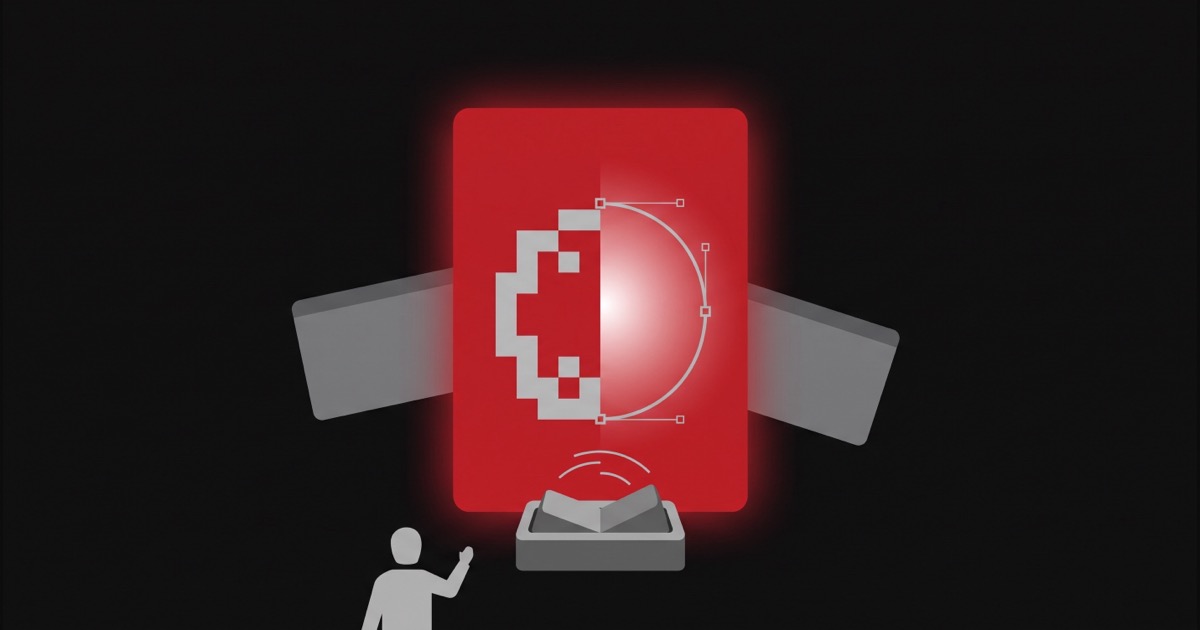
Here's the plain-English version, since "pixel, vector, and layout tools in one app" sounds like nothing if you've never had to think about it. Photoshop works with pixels, the little colored dots that make up a photo. Illustrator works with vectors, shapes and lines that stay crisp no matter how big you blow them up, which is what you want for a logo. Adobe sells those as two separate programs. Affinity now puts both inside one window, so you're not closing one app and opening another to finish a single project.
What happened on September 15, 2026 is an update to that same free app, not a new free offer. Affinity 3.3 shipped that day (PetaPixel, September 15, 2026), adding more than 60 new features. The list includes a Mask Tool, a Deform Tool for distorting and reposing images, a Blend Tool for transitions between vector shapes, a Scripting Studio, and direct import of Adobe InDesign INDD files with no converter needed (CGChannel, September 2026).
The core app is still free with no time limit, as of September 22, 2026. You need a free Canva account to use it, and it runs on Windows and macOS, with iPad support listed as "coming soon" (Affinity, checked September 22, 2026). One thing to know: the AI features inside Affinity, things like image upscaling, noise reduction, and turning a layer into a 3D object, need a paid Canva plan (CGChannel, September 2026).
What I Pay Adobe
I've paid Adobe since 2020. As of September 2026, I'm on Creative Cloud Standard at $54.99 a month, on the annual plan paid monthly, which works out to about $660 a year. Photoshop and Illustrator are two of the apps I use on a regular basis, and some jobs have me switching back and forth between them.
Quick translation: "annual plan paid monthly" means I'm committed for twelve months, I just get billed month by month instead of one lump sum.
For comparison, here's Adobe's US price list as of September 22, 2026: Creative Cloud Pro runs $69.99 a month, or $839.88 a year, with new subscribers getting an introductory rate of $34.99 a month for the first three months. Creative Cloud Standard, my plan, is $54.99 a month. Photoshop alone is $22.99 a month, and so is Illustrator alone. There's also a Photography plan with Photoshop, Lightroom, and 1TB of storage for $19.99 a month (Adobe, checked September 22, 2026).
Worth saying plainly: most people don't need the $839.88-a-year Pro plan just to get Photoshop. A single-app plan or the Photography plan covers that for a lot less.
My First Five Minutes in Affinity
In September 2026 I gave Affinity about five minutes. I opened a PSD, an SVG, and a .ai file, and all three came in with their layers intact. The tools felt familiar, "like it was built by Adobe." Instead of switching between Photoshop and Illustrator the way I usually would, I flipped one toggle on the same canvas to go from pixel tools to vector tools. Five minutes in, I was already questioning whether I need to keep paying for Adobe.
Here's the one honest catch. Affinity's help page lists Photoshop's PSD format as open and export, but Illustrator's AI format as open only. Affinity can open a .ai file but can't save back to one (Affinity, checked September 22, 2026). The same page lists InDesign files as import only. If you send files back and forth with someone who lives in Illustrator, test that before you switch.
Where Canva Fits
I don't pay for Canva. In spring 2026 I used the free version to make a short vertical LinkedIn video for Trinity Place, a commercial building I market. It shows the building's footprint from above.
My take: Canva is the right tool if you want heavy inspiration and ready-made templates. You start from a layout someone else designed and swap in your own words and photos. Affinity is a different animal. It starts from a blank canvas, the way Photoshop and Illustrator do.
Canva's US pricing as of September 22, 2026: Free is $0, Pro is $144 a year for one person, and Business is $250 a year per person (Canva, checked September 22, 2026).
Who Should Switch
If you only open Photoshop or Illustrator once in a while, and paying $22.99 a month or more for software you barely touch bothers you, try Affinity first. My take: Affinity is a straight alternative to the Adobe suite, and a great option for casual users or anyone for whom paying for Photoshop or Illustrator doesn't make sense. At $22.99 a month as of September 2026, Photoshop alone runs about $276 a year. That's real money for software that mostly sits idle.
If what you actually want is templates, inspiration, or a quick video like the one I made for Trinity Place, start with free Canva. That's what it's built for.
If you trade files with Adobe users every day (printers, agencies, clients who send you .ai files and expect .ai files back), keep Adobe for now. Affinity's own help page lists .ai as open only, and for that daily back-and-forth, not being able to save back is a bigger risk than the subscription cost (Affinity, checked September 22, 2026).
Two caveats before you act on any of this. "Free forever" is a promise from Canva, not a contract (CGChannel, October 31, 2025). A company can change its mind. And I haven't cancelled Adobe yet. I want more real client work in Affinity before I make that call.
This post was drafted by Ninth Degree's agent pipeline and edited by a human before publishing. We help businesses build brand and web design as a system, and part of that is deciding which parts of the tool stack are actually worth paying for.
Sources
- Check out Canva's new, perpetually free Affinity software, CGChannel, October 31, 2025
- Affinity 3.3 powers up the free apps' RAW photo processing, PetaPixel, September 15, 2026
- Canva releases Affinity 3.3, CGChannel, September 2026
- Get Affinity, Affinity, checked September 22, 2026
- Creative Cloud plans and pricing, Adobe, checked September 22, 2026
- Supported file formats, Affinity Help Center, checked September 22, 2026
- Canva pricing, Canva, checked September 22, 2026